Short answer: if you want the follow-up sent for you, not just a reminder to send it, the tools worth looking at in 2026 are autoremind.ai (writes the follow-ups for you and stops when they reply), FollowUp.cc and GMass (send follow-ups you wrote in advance if there is no reply), and Mixmax or Saleshandy if you run sales sequences at volume. Boomerang is a reminder tool: it brings the email back to your inbox and you send the next message yourself.
Below is what each one does, where it falls short, and what it costs. Every competitor fact was checked on that company's own website on 2026-10-01. Prices change, so check before you buy.
Table of Contents
- Reminder tools vs automated follow-up tools
- What to look for
- The 6 tools
- Side-by-side comparison
- Which one fits you
- FAQs
Reminder tools vs automated follow-up tools
These two get mixed up constantly, and it is the most useful distinction when you pick a tool.
- A reminder tool tells you to follow up. The email pops back to the top of your inbox on a date you chose, and you still write and send the next message.
- An automated follow-up tool sends the next message for you if nobody has replied, and stops once they do.
If your problem is forgetting, a reminder is enough. If your problem is that you do remember but never get round to writing the third, slightly firmer email, you want the second kind.
What to look for
Freelancers and small teams are usually chasing one person about one thing: an unpaid invoice, a signed contract, a design approval, a reply to a proposal. That is a different job from emailing 500 prospects. So the questions that matter are:
- Does it send the follow-up, or just remind you? See above.
- Who writes the follow-ups? You, a template, or the tool.
- Does it stop when they reply? Nothing burns a client faster than a firm third reminder after they already answered.
- Does it send from your own address, in the same thread? A follow-up from a no-reply domain reads like a marketing email.
- What does it cost for one person? Many tools here are priced per seat for sales teams.
The 6 tools
1. autoremind.ai
Best for: freelancers, solo founders and small teams chasing one person at a time about an invoice, approval, proposal or reply.
Disclosure: this is our product, so read this section with that in mind.
You describe the follow-up in one sentence, for example "chase Dana about invoice 1042, it was due last Friday". autoremind.ai writes the follow-ups, sends them from your own Gmail in the original thread, and makes each one firmer than the last (professional, then firm, then urgent). When Dana replies, the sequence stops. Each follow-up puts a tracked address in the reply path, which is how it notices the reply without reading your inbox.
Try it on yours
Edit the sentence and press Continue. Free for 3 reminders, no card.
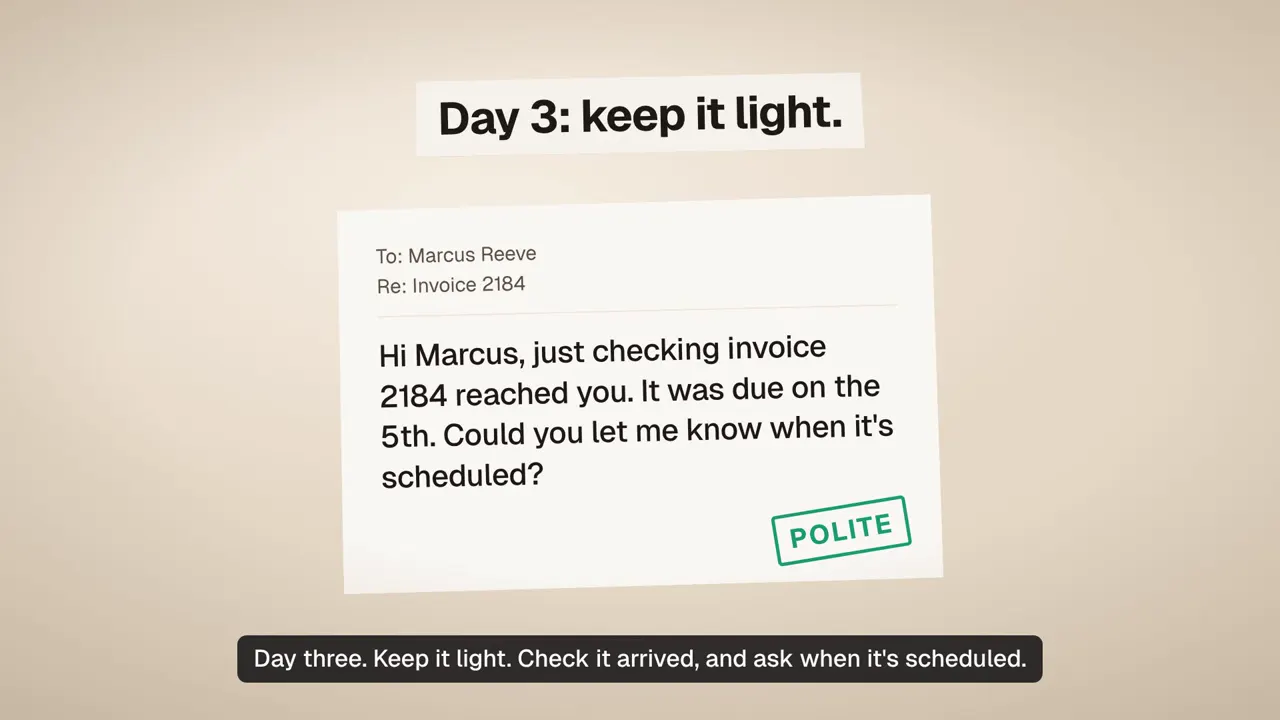
What it does well:
- Writes every message from one sentence, no templates to fill in
- Sends from your Gmail, in the same thread, so it looks like you wrote it
- Escalates tone across attempts and stops when they reply
- Can also chase people inside your team in Slack
Where it falls short:
- Gmail only for now. No Outlook yet, and no Microsoft Teams
- At most 4 messages per reminder, by design
- Not a cold outreach tool: no prospect lists, no mail merge to hundreds of people
- Small and new. There is no long track record to point to yet
Pricing: free for 3 live reminders, no card. Starter is $4/month for 10 live reminders. See pricing.
2. FollowUp.cc
Best for: Gmail users who want to write their own follow-ups and have them go out automatically.
As of 2026-10-01, FollowUp.cc is a Gmail add-on for one-click reminders, open and click tracking, send later, and follow-ups that "send automatically if your recipient doesn't reply". You write those follow-ups in advance or pick one of its templates.
What it does well:
- Sends follow-ups for you if there is no reply, not just a reminder
- Reminders, tracking and send later in one small tool
- Lives inside Gmail
Where it falls short:
- You write the follow-ups (or use templates). No AI writing mentioned on its site
- Gmail only, no Slack
- At $18 to $40 a month, it costs more than most of the tools here for a single person
Pricing (as of 2026-10-01): 14-day free trial, no card. Starter $18/month billed annually ($23 monthly), Professional $29/month annually ($36 monthly), Salesforce Edition $40/month annually ($50 monthly).
If you are comparing it directly, we wrote up FollowUp.cc alternatives for freelancers.
3. Boomerang for Gmail
Best for: Gmail users who mostly forget to follow up and are happy to write the message themselves.
Boomerang's core features are Send Later and Boomerang Reminders, which bring a message back to your inbox if nobody replies by a date you set. It also has Respondable, an AI writing assistant, on paid plans.
What it does well:
- Cheap, well known and fast to set up
- Free Basic plan
- Respondable helps you write a clearer email
Where it falls short:
- It reminds you. It does not send the follow-up for you
- No tone escalation across a sequence, because there is no sequence
- No Slack
Pricing (as of 2026-10-01): Basic is free with 10 message credits a month. Personal $4.98/month, Pro $14.98/month, Premium $49.98/month, all billed annually. New accounts get a 30-day trial of Pro with no card.
More detail in autoremind.ai vs Boomerang.
4. GMass
Best for: sending the same email to a list from Gmail, with follow-up stages for people who do not reply.
GMass is a mail merge and cold email tool that runs inside Gmail. Its follow-ups go only to non-responders: "Only non-responders receive the extra message."
What it does well:
- Real automatic follow-ups that skip anyone who replied
- Built for lists: mail merge, personalisation, A/B testing
- Works inside Gmail
Where it falls short:
- Built for campaigns, which is a lot of tool for chasing one invoice
- You write each follow-up stage yourself
- Sequences and auto follow-ups are not on the Standard plan; you need Premium or Professional
Pricing: we could not confirm USD prices from GMass's own pricing page on 2026-10-01 (it showed local currency), so check gmass.co/pricing.
5. Mixmax
Best for: sales reps who live in Gmail and want tracking, scheduling and sequences in one place.
Mixmax adds email tracking, reminders, meeting scheduling and sequences to Gmail. It has AI features too: Smart compose on Inbox Copilot and Suite, and an AI sequence builder on Engagement Copilot and Suite.
What it does well:
- Detailed tracking of opens, clicks and replies
- Sequences, with AI help writing them on the higher plans
- A free plan after the trial, with basic sequences
Where it falls short:
- Built and priced for sales teams
- The free plan caps sequences at 50 recipients a month
- No Slack follow-ups
Pricing (as of 2026-10-01): 14-day free trial of the full Suite, then a free plan. Inbox Copilot $29/user/month annually ($34 monthly), Engagement Copilot $49 ($65), Mixmax Suite $89 ($105).
See autoremind.ai vs Mixmax for a closer look.
6. Saleshandy
Best for: cold email outreach at volume.
Saleshandy is a cold email platform with multi-step sequences, deliverability tools, a lead finder and AI writing ("AI-powered Sequence Generator" and "AI Variants").
What it does well:
- Built for volume: thousands of prospects and emails a month
- AI that drafts whole outreach sequences
- Deliverability tooling
Where it falls short:
- The wrong shape for chasing one client about one invoice
- Email only
- No free plan, only a 7-day trial
Pricing (as of 2026-10-01): Starter $34/month billed annually ($41 monthly), Pro $76 ($99), Scale $149 ($189). 7-day free trial.
Side-by-side comparison
Competitor details as of 2026-10-01, from each company's own site.
| Tool | Sends the follow-up for you | Who writes it | Stops on reply | Slack | Lowest paid price | Free option |
|---|---|---|---|---|---|---|
| autoremind.ai | Yes | The tool, from one sentence | Yes | Yes | $4/month | 3 live reminders |
| FollowUp.cc | Yes | You, or a template | Yes | No | $18/month (annual) | 14-day trial |
| Boomerang | No, reminds you | You (Respondable helps, paid plans) | n/a | No | $4.98/month (annual) | Free Basic plan |
| GMass | Yes (Premium and up) | You | Yes | No | Check site | Free install |
| Mixmax | Yes (sequences) | You, with AI help on higher plans | Yes | No | $29/user/month (annual) | Free plan |
| Saleshandy | Yes (sequences) | You, or its AI generator | Yes | No | $34/month (annual) | 7-day trial |
Which one fits you
- You chase clients one at a time and want it off your plate: autoremind.ai. You write one sentence, it handles the messages, the timing and the tone, and stops when they answer. The invoice reminders guide for freelancers covers the timing if you want the method as well as the tool.
- You just keep forgetting and like writing your own emails: Boomerang. The free plan may be all you need.
- You want follow-ups to go out automatically but prefer to write them yourself: FollowUp.cc.
- You email lists of people from Gmail: GMass.
- You are a sales rep or run outbound: Mixmax or Saleshandy.
- Some of your chasing happens in Slack: autoremind.ai is the only one here that covers it. The Slack vs email reminders breakdown helps you pick the channel.
The common mistake is buying a tool built for a sales team to chase three invoices a month. You end up paying per seat for prospect lists you never use.
If you want to try the hands-off option, autoremind.ai is free for 3 live reminders, no card.
FAQs
What is the best automated follow-up reminder tool for freelancers in 2026? It depends on whether you want to be reminded or want the follow-up sent for you. For chasing one person at a time (an invoice, an approval, a proposal), autoremind.ai writes the follow-ups from one sentence, sends them from your Gmail in the original thread and stops when the person replies. For writing your own follow-ups and scheduling them in Gmail, FollowUp.cc and GMass both send automatically if there is no reply. Boomerang reminds you but does not send the follow-up for you.
What is the difference between a follow-up reminder and an automated follow-up? A reminder tells you to follow up: the email comes back to the top of your inbox and you still write and send the next message. An automated follow-up sends the next message for you if nobody has replied. Boomerang Reminders are the first kind. autoremind.ai, FollowUp.cc and GMass do the second.
Can I automate follow-up reminders without a CRM? Yes. autoremind.ai, FollowUp.cc, Boomerang and GMass all work from Gmail with no CRM. Mixmax and Saleshandy also work without one but are built around sales sequences and prospect lists.
Which follow-up tools write the follow-up message for you? autoremind.ai writes every message in the sequence from a one-sentence description and makes each one firmer than the last. Mixmax (Smart compose, AI sequence builder on some plans) and Saleshandy (AI sequence generator) also have AI writing, aimed at sales outreach. Boomerang has Respondable, an AI writing assistant on paid plans. FollowUp.cc and GMass have you write the follow-ups or pick a template.
Is there a free automated follow-up tool? autoremind.ai is free for 3 live reminders with no card, then $4 a month for 10. Boomerang has a free Basic plan with 10 message credits a month. Mixmax converts to a free plan after its 14-day trial. FollowUp.cc offers a 14-day free trial and Saleshandy a 7-day trial (all as of 2026-10-01).
Do any of these tools follow up in Slack? autoremind.ai can send internal chases in Slack as well as email. The other tools on this list are email tools.
See also: Best AI follow-up email tools, ranked · How to automatically follow up when someone doesn't reply · Saleshandy alternatives for small teams